
A Detailed Guide to Integrating eCommerce CRMs and Accounting Tools



eCommerce
A Detailed Guide to Integrating eCommerce CRMs and Accounting Tools
Ali Ladha, CPA, CA / May 20, 2023
A Detailed Guide to Integrating eCommerce CRMs and Accounting Tools
If you’ve started an online business, you’ll soon realise how much competition you have and how your competitors are watching you closely, waiting to capitalise on minor mistakes!It’s a tough world out there!
You’ll need to rise to the challenge, and one of the areas of focus that can help you do this is customer retention. In addition to offering top-notch products and services, you must also pay attention to delivering an excellent customer experience.
Unfortunately, the online customer lifecycle is faster than the traditional customer lifecycle. This creates a unique problem for e-commerce store owners that must monitor customers’ activities and make decisions within this short life cycle.
Tools like e-commerce CRMs can help with this. These tools are designed to help convert even the most casual customers to loyal ones who will continue patronising your products. This translates to stable revenue and better market leadership.
What is an eCommerce CRM?
CRM, as used in this case, stands for “Customer Relationship Management” and is a concept that helps e-commerce store owners manage and analyse customer data, including purchasing history and other personal details.
Several e-commerce CRM tools virtually track every aspect of customers’ experiences by providing accurate reports of conversations, traffic, click-through rates, and email subscriptions. Your team can always access these details when they need to close a sale or improve on a service.
For an eCommerce business, a CRM solution can be a goldmine, especially considering its ability to help store owners organise different information they’ll need to understand customer interaction.
Some of the most significant benefits of eCommerce CRMs include:
- Creates a straightforward selling process
- Automates repetitive tasks
- Simplifies collaboration among business departments
- Provides better metrics for personalised marketing
- Improves customer care
Integrating eCommerce CRM Tools With Accounting Software
Now that we’ve discussed the importance of CRM tools and their usefulness to e-commerce stores, you’re probably wondering how to integrate them into your eCommerce accounting software?
Integrating your e-commerce CRM with accounting software is the simplest way to figure out the source of your revenues. It helps you to track your revenue sources, explicitly tying every penny you earn to a specific deal or marketing campaign.
This way, you can know which campaign is yielding profits and which is not. The truth is that integrating CRM with accounting software opens your store to many opportunities since it allows you to manage master data across existing platforms with less effort.
Why You Should Integrate Your Accounting Tools With CRM
The easiest way to understand your revenue sources is to integrate your accounting tools with the right CRM.
Here are some critical reasons to link both tools together
-
Accurate records of revenue sources
One of the most obvious benefits of syncing your systems is the ease it brings to the process of tracing each dollar of revenue back to the specific sales conversion and marketing activity that was behind it.
Knowing where revenue comes from and what activities influence revenue generation can help you know where to invest more effort to improve your bottom line.
-
Save time on administrative tasks
While it’s possible to operate your accounting software and CRM separately, it could take a significant amount of time for your team to upload the financial information of different transactions going on daily to your CRM for efficient tracking.
Doing it manually takes time, especially for eCommerce stores with complex systems or several different product categories. The whole concept of integrating your CRM with accounting software helps to streamline and automate your administrative and invoicing processes.
For example, beyond identifying clients paying their invoices, the system can match the invoice details to the correct CRM records.
-
Improve Customer Experience
Integrating CRM with eCommerce accounting software can help you improve customer engagement when done correctly. First, you’ll know your customers’ preferred channels of engagement. Then you can craft the right messages for them on these channels without leaving the CRM tool.
It also makes sense to have all conversations and associated metadata stored in one central location, giving you context on each customer, so you can anticipate their requests when they contact you.
For example, when communicating with customers about order modification, you can see their purchase activities without asking for account information.
-
Cut down costs and losses
CRM tools are designed to offer insight into the different stages of a customers’ journey toward their purchase, making it incredibly difficult to miss new leads.
For example, if a potential customer initiates a conversation through your store but abandons the chat midway, your CRM tool will store the necessary contact information so that you can restart the conversation or follow up via other means.
CRM tools also allow you to track customers’ journeys, thus, allowing you to detect the pain points in their shopping experience. For example, you can clearly understand how high or low your open email rate is. If it is painfully low, it’s time to think of a more intriguing subject line that’ll catch your audience’s attention.
-
Gain Competitive Advantage
CRM tools offer access to AI-generated data insights into the customer journey. Key insights from this data might otherwise have gone undetected, but could now serve as a weapon for you to defeat stiff competition.
Beyond allowing you to know and respond to new developments, it helps you take proactive steps to solve problems that potential customers may experience. This way, customers feel more relaxed on your website than your competition, even if they’re coming for the first time.
For example, available data may show that a certain category of buyers typically buys two related products together. So next time someone from that category purchases one of the items from your store, you can recommend the other related product to increase your average order value.
What to Consider When Integrating CRM with Accounting Software
Before starting your integration journey, there are a few things to consider.
-
Compatibility
You want to start by making sure both systems are compatible. These days, developers include pre-built integration into their software to make the process easier. However, you can acquire third-party integration tools or replace your systems with comprehensive Enterprise Resource Planning (ERP) systems.
-
Provide adequate training for employees
Another exciting way to limit operational disruptions during integration is to get your employees adequately onboarded to new business processes beforehand. Identify key processes that the integration may affect and explain every step to your employees so they know what to do at each point.
-
Pay attention to data security
Integrating accounting software with CRM allows sharing of sensitive customer data (financial and personal) between systems. You must take appropriate security measures to ensure that these sensitive data do not leak at any point. Some measures include two-factor authentication, stronger passwords, encryption, etc.
CRMs That Work Well with eCommerce Accounting Software
With many CRMs available today, choosing the best for your eCommerce store can be challenging. The first place to look at is integration.
Since your accounting software is vital to keeping everything around the store orderly and humming-along, you want to choose a CRM that integrates well with your accounting software.
Here are our top choices for CRMs that can integrate well with most accounting software.
HubSpot CRM
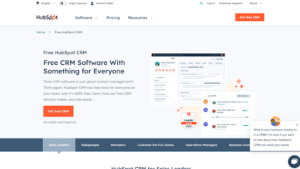
HubSpot is a comprehensive e-commerce tool that offers your business various services like customer service, sales, and CRM marketing. The free-to-use software (with paid versions) has many features, including lead capture forms, email tracking, a customer management database, live chat, etc. The most important part of this CRM is that it features top-notch integration, making it compatible with nearly all e-commerce accounting software.
Pros
- Easy to use
- It features a user-friendly interface
- Seamless integration with many software
Cons
- The mobile version needs some improvements
- It can lag and go offline midway
Salesforce CRM
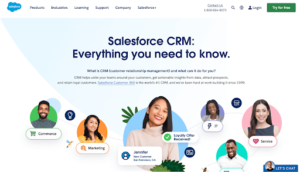
Currently the most popular CRM in the world, Salesforce provides a better customer experience across all touchpoints. Additionally, it integrates well with most e-commerce tools, such as HubSpot, MailChimp, etc.
Pros
- Very popular and easy to use
- Friendly user experience
- Easily customizable to meet different needs
Cons
- Quite pricey
- Navigating through custom designs may be difficult
Zoho CRM
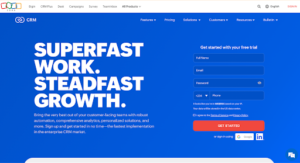
Zoho is one of the market leaders offering top-notch CRM for eCommerce businesses. Although initially designed for small and medium businesses, Zoho has since grown to target almost everyone. eCommerce store owners can leverage this CRM to configure services like sales automation, promotion, forecasting, and reporting. It also integrates well with popular accounting tools.
Pros
- A flexible pricing policy allows you to choose a suitable package for yourself
- It is easy to use
- Integrates well with the most popular e-commerce tools
Cons
- Limited use of social networks
- Insufficient customization tools
Final Thoughts
Integrating CRM with your eCommerce accounting software helps you track and manage your customer behaviour and how it affects your sales.
Before choosing a CRM tool, you want to look at the available alternatives and compare the features to be sure they match your needs. Furthermore, weighing their pros and even taking up a free, no-strings trial before choosing one makes sense.
The accounting and tax information provided in this post does not constitute advice and is meant to be for general information purposes only. The information is current as at the date of this post and does not reflect any changes in accounting and/or tax legislation thereafter. Moreover, the information has been prepared without considering your company or personal financial/tax circumstances and/or objectives.